From the team behind Superpower Daily
Snipman
The reusable writing layer for your browser.
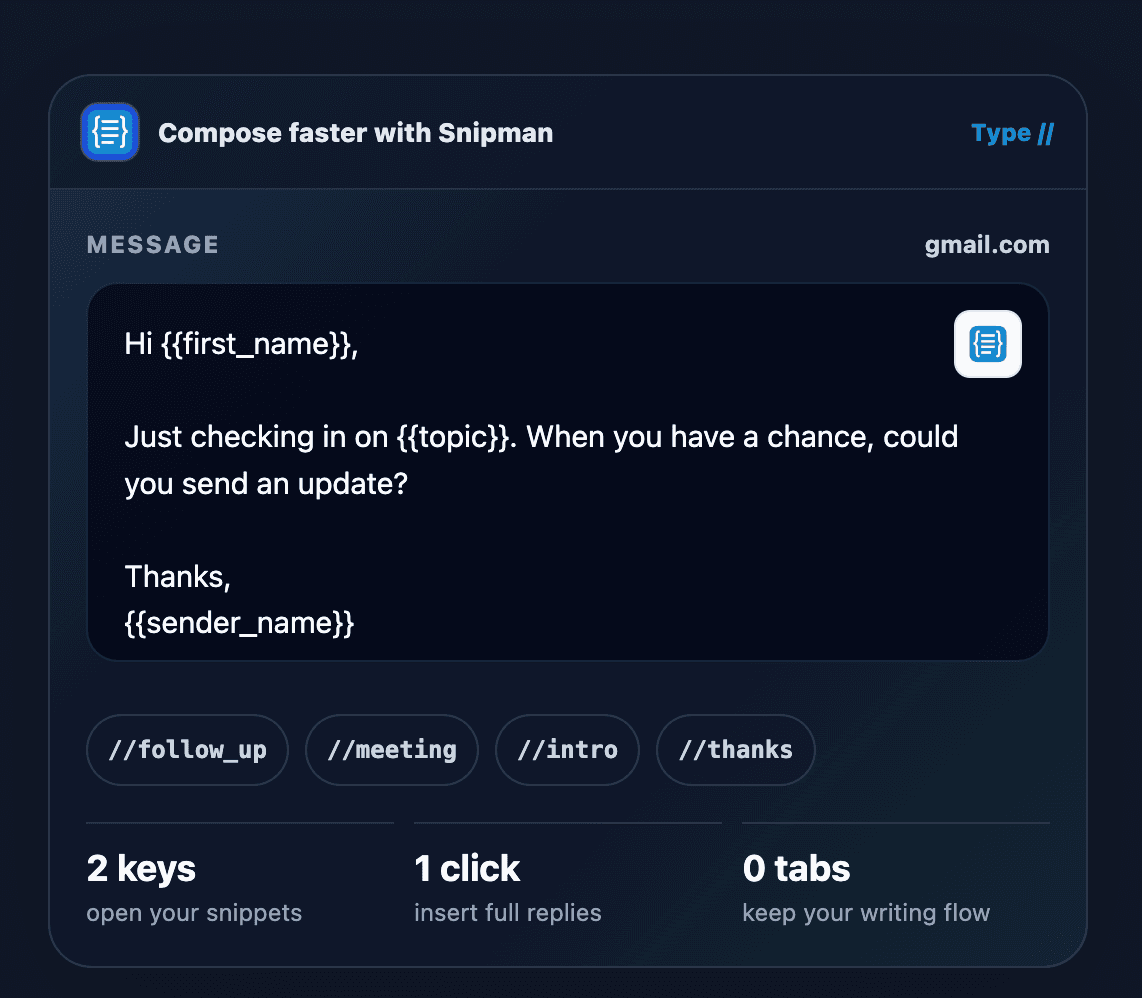
Type //, choose the right snippet, fill in what changed, and insert a polished reply without leaving the message.
From shortcut to sent
A complete reply in three moves.
Snipman stays inside the input, so reusable writing does not interrupt the work it is meant to accelerate.
Type //
//follow_up
Open Snipman in the input you are already using. A few letters narrow the list to the reply you need.
Fill the variables
{{first_name}} {{topic}}
Personalize names, companies, topics, dates, clipboard content, and other values before anything is inserted.
Insert and send
One click / zero tab changes
Place the complete reply into the message, make any final edit, and keep moving without opening another tab.
The library around the reply
Fast to open. Specific to the moment.
A useful snippet system needs more than saved text. It needs context, personalization, preview, ownership, and a way to improve over time.
Global and domain libraries
Keep universal snippets available everywhere while Gmail, LinkedIn, support tools, and other domains surface their own focused sets.
Dynamic values
Build reusable templates around fill-in fields and live values instead of saving dozens of nearly identical replies.
Searchable snippet pills
Type // and part of a shortcut to reveal relevant options directly beside the cursor.
Preview before insertion
Check the full snippet and its variable fields before it becomes part of the message.
Shared team workspaces
Invite teammates, manage roles, and distribute approved language across support, sales, recruiting, and operations.
Usage and time saved
See which snippets earn their place in the library and where repeated writing consumes the most time.
Where it earns time
Repeated messages become shared infrastructure.
Customer support
Answers for refunds, troubleshooting, account questions, and recurring product guidance.
Sales and outreach
Introductions, follow-ups, qualification questions, proposals, and handoff messages.
Recruiting
Candidate outreach, interview scheduling, status updates, and common process questions.
Operations
Internal instructions, status updates, links, form entries, and repeatable checklists.
Start with the replies you repeat
Keep the answer. Change the details.
Install Snipman for free, or explore current features, plans, guides, and team controls on the official site.